

How to Download and Install AW8 APK on Android
An APK is the installation file that Android phones use to add an app. Many online casinos distribute their Android app this way, rather than through the Google Play Store, which is why you need to change one phone setting before you can install it. The process is short, but the source of the file matters more than anything else.
Always download the AW8 APK from the official AW8 website or from a link given by official customer support. Files from forums, file-sharing sites or unknown messages can contain malware that steals passwords or payment details.
Enabling Unknown Sources on Android
Android blocks apps from outside the Play Store by default. To allow the AW8 installation:
- Open Settings on your phone.
- Go to Security or Privacy, depending on your phone brand.
- Find the option called Install unknown apps or Unknown sources.
- Select the browser you used to download the file, for example Chrome.
- Switch on Allow from this source.
On newer Android versions the permission is given to a specific browser or file manager rather than the whole phone, which is safer. Once the installation is finished, return to the same menu and switch the permission off again.
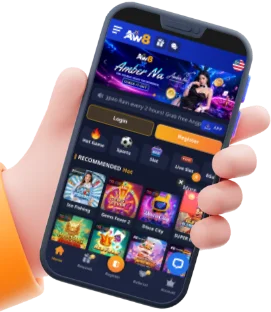

Step-by-Step APK Installation Guide
With the setting changed, follow these steps:
- Open the official AW8 website on your phone and find the app download section.
- Tap the Android download button to save the APK file.
- Open the file from your notification bar or the Downloads folder.
- Tap Install and wait a few seconds while the app is added.
- Open the app and log in with your existing account, or register a new one.
- Turn the unknown sources permission back off for your browser.
| Problem | Likely Cause | What to Try |
|---|---|---|
| “App not installed” message | Old version or low storage | Free up space and remove any older copy of the app |
| File will not open | Incomplete download | Delete it and download again on a stable connection |
| Installation blocked | Unknown sources still off | Recheck the permission for your browser |
| App closes on launch | Outdated Android software | Update your phone system, then reinstall |
AW8 Mobile App for iOS Devices
Apple devices work differently. iPhones and iPads do not use APK files, so there is no APK to download. Instead, iOS users reach AW8 through an installation method supported by the platform, and the exact method can change over time. The safest approach is to open the official AW8 site in Safari and follow the iOS instructions shown there, or ask customer support which method currently applies.
Direct Installation for iPhone and iPad
Many casino platforms let iPhone users add the site to the home screen so that it behaves like an app. If AW8 offers this option for your device, the general steps are:
- Open Safari and go to the official AW8 website.
- Tap the Share icon at the bottom of the screen.
- Choose Add to Home Screen.
- Confirm the name and tap Add.
- Open the new icon from your home screen and log in.
If a profile or certificate is requested during installation, pause and check with live chat that the request is genuine. Do not accept configuration profiles from sources you cannot verify. Keep iOS up to date so the app runs properly and receives the latest security fixes.
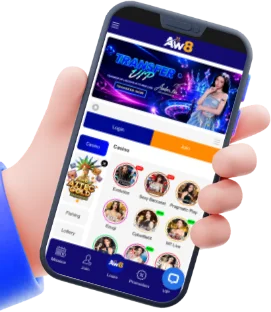
Benefits of Playing via AW8 Mobile App
Playing in a browser works, but an app is built around convenience. The main advantages, where the platform supports them, are:
- One-tap access from your home screen
- Layouts designed for small screens
- Quicker movement between slots, live casino and sports
- Account tools and wallet always close at hand
- Updates that bring new features and fixes
Everything you can do on desktop, such as deposits, withdrawals, bonus claims and customer support, is available through the mobile route, using the same account and balance.

Faster Loading Times & Biometric Login
An app can store parts of the interface on your phone, which often means pages open faster than a fresh browser visit. Games load with fewer steps, and menus respond quickly, which is useful when you are following live odds and need to place a bet before the market moves.
Some phones also support biometric login, such as fingerprint or face recognition, so that you do not have to type your password each time. If the AW8 app offers this option on your device, enable it in the account or security settings. Biometric login is convenient, but it only protects you if your phone itself is secured with a screen lock. Do not use it on shared phones.
Exclusive Mobile Notifications for Promotions
Notifications can tell you when a new promotion starts or when a bonus is about to expire. This is helpful, but treat every notification with the same caution as any other offer: open the promotions page in your account and read the terms before you claim anything. Wagering requirements, eligible games and deadlines apply to each offer.
If notifications become distracting, turn them off in your phone settings. You can always check the promotions page manually.